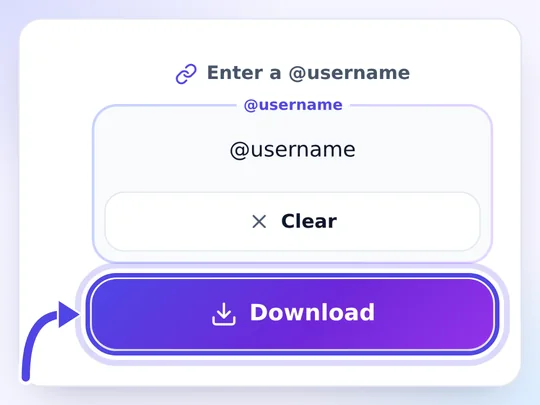

snaptik.cat is a TikTok story viewer and downloader. Enter a @username in the box above and press Download: the account's current public stories appear in a swipeable viewer where you can play them, and every story can be saved with one tap, video stories as MP4 and photo stories as images. No TikTok account is needed, and each story arrives in HD before it expires.

What are TikTok stories?
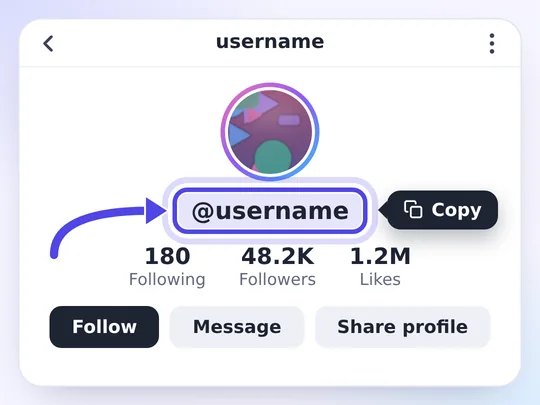
Stories are short posts that stay on an account for only 24 hours. They appear in a separate row and on the creator's profile picture, which gets a colored ring while a story is live. Creators use them for things that do not need to stay forever: behind-the-scenes moments, quick updates, reminders and limited offers. After a day, a story disappears from the account unless the creator chooses to keep it.
That short life is exactly why stories are easy to miss. If you were away for a day, the update you wanted to see may already be gone.
Stories and regular posts: the differences
- Lifetime: a regular post stays on the profile; a story is gone after a day.
- Place: regular posts fill the profile grid, while stories sit behind the profile picture and in their own row.
- Tone: stories are quick and informal, often filmed on the spot, so they rarely get reposted elsewhere.
- Format: a story can be a short video or a set of photos, just like a post, and snaptik.cat saves both kinds.
Why save a TikTok story
- Announcements and dates for an event, a launch or a giveaway you want to remember.
- Tips and tutorials shared as a quick story instead of a full video.
- Your own stories, backed up before they expire.
- Watching later, offline, without hunting for the account again.
How the story viewer works
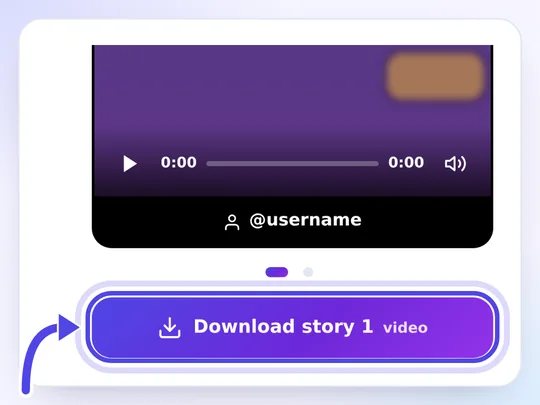
snaptik.cat asks TikTok for the account's public stories and shows them in its own viewer: video stories play with the player controls, photo stories can be stepped through picture by picture, and a counter tells you where you are. The download button under the viewer always matches the story on screen. Our steps with pictures show the flow, and the snaptik.cat guide explains it for every device.

Anonymous TikTok story viewer: what it does and doesn't do
Because you never sign in to TikTok on snaptik.cat, your own TikTok account is not used to open the stories. That is the only sense in which a visit here is anonymous. It shows only stories that are already public, it cannot open private accounts, and it does not bypass any privacy setting an account owner has chosen.
Download TikTok stories without watermark, in HD
Video stories are saved as MP4 files at the best quality TikTok provides for them, and photo stories as image files, all without the TikTok overlay. snaptik.cat does not upscale anything, so a story looks exactly as it was posted. Copies you make before a story expires stay on your device for as long as you keep them.
Catching stories before they expire
Stories run on a 24-hour clock that starts when they are posted, not when you see them, and the creator may live in a different time zone. If an account matters to you, check it once a day at a time that suits you; anything posted since the last visit will still be there. Saving a story as soon as you find it is the only way to be sure you can watch it again, because nothing can bring back a story that has already expired.
Where stories are saved
iPhones and iPads hand the file to the Files app, under Downloads; Save Video or Save Image moves it into your photo library. On Android, stories go to the Downloads folder, which your gallery reads too. A computer keeps them wherever your browser saves downloads.
Privacy on snaptik.cat
No login, no app, no password, ever. The username you type is used to look up that account's public stories and nothing else. Like every snaptik.cat tool, the service is paid for by ads: an advertiser's page opens in another tab when you first tap a download button, and your story starts saving at the same moment. Read the privacy policy for details.
Respect the people who post stories
Stories are meant to be temporary, and many show personal moments. Keep downloaded stories for yourself, watch them offline, and never post, pass on or edit someone else's story without permission. Credit the creator if you ever show it to others. If you post stories and want them blocked on snaptik.cat, write to us through the contact page; confirmed requests are handled within 72 hours, as our terms of use explain.
Ways to keep a TikTok story, compared
| Method | Result | On the picture | Catch |
|---|---|---|---|
| Watching in the app | Nothing is saved | - | Gone after 24 hours, and a logged-in view can appear in the story's viewer list |
| Screen recording | A video of your screen | The app's interface and captions | Notifications can pop up in the middle of the clip |
| snaptik.cat story downloader | The story file itself, video or photo | Nothing added | Only active stories of public accounts |
Screen recording works in a pinch, but the result shows the progress bar, the reply box and anything that arrives on your phone while it runs. Saving the file through the story viewer gives a clean copy that plays like any other video.
Is it legal to download TikTok stories?
A story is still its creator's work, even though it disappears after a day. Keeping one to watch again on your own device is a private use. Reposting it, above all after it has expired, goes against the choice the person made when they shared it as a story rather than a post. Copyright and privacy rules vary by country, and this is general information, not legal advice. If you would like to share a story, ask the person who posted it first.
When no stories appear
The account has no active story
Many accounts post stories only now and then. If nothing was posted in the last 24 hours, there is nothing to show.
The account is private
Stories of private accounts are only visible to approved followers and cannot be loaded.
The username is wrong
Check the spelling, or copy the profile link from the app and paste it instead.
Looking for older stories?
Stories the creator decided to keep are often saved in highlight albums; the TikTok highlight downloader opens those.
Catch the next story in time
Enter a @username in the field at the start of the page and see what the account shared today.